

Skip to content Skip to content
Luna Display
Rock Paper Pencil
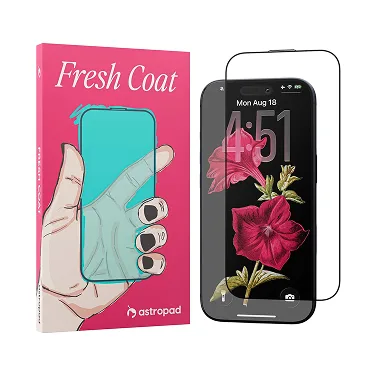
Fresh Coat
Studio
Workbench
Support
Technical Help
Get help with system compatibility, troubleshooting, and subscriptions
App Downloads
Download the companion apps for Astropad Studio and Luna Display
Getting Started
Step-by-step instructions to get you set up in minutes
Luna Self-Help Wizard
Quick troubleshooting guide for Luna Display
Shop All→ view cart→
A black geometric pattern

App Downloads

Choose your product

Astropad Studio →

Turn your iPad into a fully-customizable drawing tablet
Luna Display →

Turn your Mac or iPad into a second display

Workbench →

Seamless screensharing for designers and developers

Rock Daily Planner →

Minimalist daily planner app for iPad

Stylized face with horizontal lines for eyes and a nose, curved line for a smile, framed by a shield-like shape on a dark blue background.

Bookcase →

Turn your phone into an ergonomic e-reader
Astropad Slate →

Control your Mac using your iPad and Apple Pencil

Products

  • Luna Display
  • Rock Paper Pencil
  • Fresh Coat
  • Studio
  • Workbench
  • Rock Daily Planner
  • Slate
  • iPad Accessories →

Learn

  • Blog
  • Apple Pencil Guide
  • Use iPad as drawing tablet
  • iPad vs Wacom
  • Astropad Studio vs Duet Display
  • Use iMac as Monitor
  • Best Notetaking Apps for iPad
  • Apple Pencil Tip Replacements

Company

  • About & Jobs
  • Astropad for Universities
  • Student Discount
  • Enterprise Licensing
  • Wholesale
  • Where to Buy
  • Affiliate Program

Support

  • App Downloads
  • Getting Started
  • Help
  • Contact
  • Returns & Exchanges
  • Privacy Policy
  • Terms of Service